
 Husain Parvez
The best Proton VPN alternative depends on why you want to switch: a different privacy model, better device coverage, more routing controls, easier streaming, a usable free plan, or closer integration with security software. No single VPN leads every category, so this comparison focuses on the trade-offs that materially change daily use.
We compared eight paid VPN services using their documented protocols, kill-switch behavior, split-tunneling options, privacy tools, platform coverage, and ease of use. This is an editorial comparison rather than a live speed benchmark, and current plan limits should be checked before purchase.
This comparison uses official provider documentation and editorial analysis, not a hands-on speed benchmark. Plan features can change. We may earn affiliate commissions. Learn more.
NordVPN — A broad privacy suite with flexible VPN protocols and extra security controls. Verify current platform support and subscription terms before buying.
Top Alternatives at a Glance
| Provider | Best for | Important limitation | Visit |
|---|---|---|---|
NordVPN | Advanced privacy and security | Extras vary by plan and platform. | Try Now |
Surfshark | Multi-device households | Features vary by app and platform. | Try Now |
ExpressVPN | Simple cross-platform VPN use | Some tools require higher plans. | Try Now |
Private Internet Access | Advanced routing controls | Split tunneling varies by platform. | Try Now |
CyberGhost | Beginners and streaming | Optimized servers vary by platform. | Try Now |
Bitdefender VPN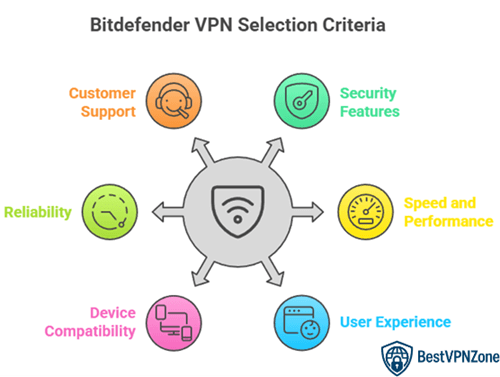 | Existing Bitdefender users | Features vary by protocol and platform. | Try Now |
Avast SecureLine VPN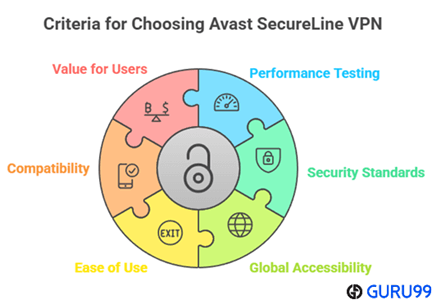 | Automatic connection protection | Automation varies by platform. | Try Now |
Proton VPN | Privacy and a free plan | Advanced features require paid plans. | Try Now |
Pricing checked: October 22, 2026, against official provider websites. Promotional prices, taxes, currencies, and renewal rates can change.
Detailed VPN Alternative Reviews
1) NordVPN
Best for: A broad privacy suite with flexible VPN protocols and extra security controls
NordVPN combines its NordLynx and NordWhisper protocols with an automatic kill switch, DNS-leak protection, Double VPN, obfuscated servers, and optional security tools. It is a practical alternative for readers who want one service to cover everyday browsing, travel, streaming, and higher-risk public Wi-Fi connections.
Key Features
- NordLynx uses a WireGuard-based design for efficient everyday connections, while OpenVPN and NordWhisper provide alternatives for compatibility or restrictive networks.
- The automatic kill switch and DNS-leak protection reduce the chance that traffic leaves the encrypted tunnel after an unexpected disconnect.
- Double VPN, obfuscated servers, Onion Over VPN, and Meshnet support specialized privacy and device-to-device workflows.
What We Like
- Multiple protocols let users adapt to speed, compatibility, and network restrictions.
- The service includes more privacy and security controls than a basic VPN tunnel.
What We Don’t Like
- Some security extras and plan benefits vary by subscription tier and operating system.
- Advanced modes such as Double VPN can add latency compared with a nearby standard server.
Pricing and Free Trial
| Pricing | NordVPN Basic costs $14.99 per month. |
|---|---|
| Free trial | Eligible first-time customers can receive a 7-day trial on selected 1- or 2-year Prime plans in supported countries. NordVPN also provides a separate 30-day money-back guarantee. |
2) Surfshark
Best for: Households that want to protect many devices with one subscription
Surfshark is designed for multi-device households and users who prefer a simple app with optional routing controls. CleanWeb, Bypasser, Dynamic MultiHop, a kill switch, and support for unlimited simultaneous device connections make it easier to cover phones, computers, and streaming devices without counting every installation.
Key Features
- Unlimited simultaneous connections remove the usual device-count constraint for families and users with many personal devices.
- Bypasser can route selected apps or websites outside the tunnel when a local service or banking site does not work correctly through a VPN.
- CleanWeb blocks known advertising, tracking, and malicious domains, while Dynamic MultiHop sends traffic through two chosen VPN locations.
What We Like
- One account can cover a large collection of devices.
- Bypasser and Dynamic MultiHop provide useful control without requiring manual VPN profiles.
What We Don’t Like
- Feature availability and behavior can differ between desktop, mobile, and browser-extension versions.
- Routing through two locations increases connection overhead and is unnecessary for routine browsing.
Pricing and Free Trial
| Pricing | Surfshark Starter currently starts at $2.49 per month on its 24-month offer, billed $67.23 for the first 27 months before tax. |
|---|---|
| Free trial | New customers can receive a 7-day trial with an eligible payment method, followed by a 30-day money-back guarantee. |
3) ExpressVPN
Best for: People who prioritize polished apps, straightforward setup, and consistent cross-platform use
ExpressVPN focuses on an uncomplicated connection workflow built around its Lightway protocol. Network Lock, split tunneling on supported platforms, TrustedServer infrastructure, and Advanced Protection controls make it suitable for users who want privacy features without navigating a highly technical interface.
Key Features
- Lightway is ExpressVPN's streamlined protocol for fast connection setup and stable switching between networks.
- Network Lock blocks traffic when the VPN connection fails, helping prevent an accidental return to the normal internet route.
- Advanced Protection can block malicious sites, trackers, and ads, although exact availability depends on the selected plan and device.
What We Like
- The apps emphasize a consistent, easy-to-learn connection experience.
- Lightway and Network Lock address both connection efficiency and disconnect protection.
What We Don’t Like
- Some Advanced Protection tools require particular plans or an active VPN connection.
- The service offers fewer low-level connection settings than highly configurable alternatives such as PIA.
Pricing and Free Trial
| Pricing | ExpressVPN Basic currently starts at $2.99 per month on the 2-year offer, billed $83.72 for the first 28 months. |
|---|---|
| Free trial | A 3-day trial is available through the iOS and Android apps. Website purchases for first-time users include a 30-day money-back guarantee. |
Best for: Advanced users who want granular split tunneling and protocol configuration
Private Internet Access exposes more connection controls than most mainstream VPN apps. Its open-source clients support WireGuard and OpenVPN, detailed split-tunneling rules, a kill switch, DNS choices, Multi-Hop, and port forwarding in supported regions, making it a strong option for users who prefer to inspect and adjust the tunnel.
Key Features
- Standard and inverse split tunneling can route apps, domains, IP addresses, or selected traffic through or outside the VPN on supported systems.
- WireGuard and OpenVPN allow users to choose between a modern lightweight protocol and a mature, highly configurable option.
- Open-source applications make the client code available for inspection and community review.
What We Like
- Granular routing rules suit mixed local-network, browser, and application workflows.
- Protocol, DNS, and kill-switch controls provide more flexibility than simplified one-button clients.
What We Don’t Like
- Split-tunneling capability differs by operating system and may require additional permissions.
- The number of technical settings can be intimidating for someone who wants only automatic protection.
Pricing and Free Trial
| Pricing | Private Internet Access currently starts at $1.79 per month on its 3-year plus 3-month offer, renewing at $69.81 every three years. |
|---|---|
| Free trial | First-time iOS and Android subscribers can receive a 7-day app-store trial. Direct website purchases include a 30-day money-back guarantee. |
5) CyberGhost
Best for: Beginners who want task-oriented server choices and automatic Wi-Fi protection
CyberGhost organizes its apps around common activities and adds streaming-optimized servers, Wi-Fi protection, an automatic kill switch, DNS-leak protection, split tunneling, and several VPN protocols. The guided layout is especially approachable for users who do not want to tune every connection parameter manually.
Key Features
- Streaming-optimized servers identify locations maintained for particular services instead of requiring users to test every country manually.
- Wi-Fi Protection can start the encrypted tunnel automatically when the device joins an unsecured network.
- WireGuard, OpenVPN, and IKEv2 support lets the app choose or expose a protocol suited to the device and network.
What We Like
- Task-oriented server categories reduce setup work for less technical users.
- Automatic Wi-Fi protection and the kill switch support safer everyday use outside the home.
What We Don’t Like
- Optimized-server availability varies by platform, location, and supported service.
- The large interface and many server categories may feel unnecessary to users who only need a basic tunnel.
Pricing and Free Trial
| Pricing | CyberGhost currently starts at $2.19 per month on its 2-year plus 2-month offer, billed $56.94 for the first 26 months. |
|---|---|
| Free trial | It offers 24 hours on Windows and macOS, 3 days on Android, and 7 days on iOS. Long-term plans include a 45-day money-back guarantee. |
Best for: Existing Bitdefender users who want VPN privacy within a broader security ecosystem
Bitdefender VPN fits naturally alongside the company's endpoint-security products. WireGuard support, split tunneling, App Traffic Optimizer, ad and tracker blocking, and double-hop options give it more flexibility than a minimal antivirus-bundled VPN, while the unified account is convenient for current Bitdefender customers.
Key Features
- App Traffic Optimizer can prioritize a selected application's network traffic when several bandwidth-heavy programs are active.
- Split tunneling routes chosen apps or sites outside the encrypted tunnel when they need the regular local connection.
- WireGuard support provides access to Bitdefender's fuller feature set, although some controls remain platform- or protocol-dependent.
What We Like
- Traffic prioritization is useful for video calls, streaming, and other latency-sensitive applications.
- The VPN integrates conveniently with Bitdefender's existing security subscriptions and account tools.
What We Don’t Like
- Feature availability varies by protocol and operating system.
- Users who do not use Bitdefender's wider security products may prefer a VPN-focused provider.
Pricing and Free Trial
| Pricing | Bitdefender Premium VPN costs $6.99 for one month or starts at $2.92 per month on its annual plan. |
|---|---|
| Free trial | A 7-day Premium VPN trial is available without a credit card, and paid plans include a 30-day money-back guarantee. |
Best for: Avast customers who want automatic connection rules for everyday browsing
Avast SecureLine VPN emphasizes automation through Smart VPN and Always On modes. A kill switch, DNS-leak protection, local-network controls, WireGuard, OpenVPN, IPsec, and Avast's Mimic protocol cover the core needs of people who want their VPN to react automatically to public Wi-Fi or selected online activities.
Key Features
- Smart VPN can connect automatically for configured networks, websites, or activities instead of requiring a manual connection every time.
- WireGuard, OpenVPN or IPsec, and the Mimic protocol provide alternatives for speed, compatibility, and networks that block familiar VPN traffic.
- The kill switch blocks internet access after a tunnel failure, while local-device options preserve access to printers and other trusted devices where supported.
What We Like
- Rule-based automation reduces the chance that a user forgets to enable protection on public networks.
- The app is easy to add to an existing Avast security setup.
What We Don’t Like
- Smart VPN and protocol choices vary between operating systems.
- The service has fewer advanced privacy-routing options than NordVPN, Proton VPN, or PIA.
Pricing and Free Trial
| Pricing | Avast SecureLine VPN currently starts at $4.59 per month for the 1-year, 10-device plan, billed $55.08 for the first year. |
|---|---|
| Free trial | A 7-day trial is available through supported app stores; cancel before it ends to avoid the subscription charge. |
8) Proton VPN
Best for: Privacy-focused users who value open-source apps and a usable free option
Proton VPN pairs open-source applications with Secure Core routing, NetShield filtering, Stealth, a kill switch, and platform-specific split tunneling. Its free service is useful for basic encrypted browsing, while paid plans unlock the advanced routing and filtering features most relevant to long-term daily use.
Key Features
- Secure Core routes traffic through hardened entry servers before it reaches the exit location, adding protection against a compromised exit network.
- NetShield uses Proton's DNS infrastructure to block known malware, advertising, and tracking domains while the VPN is active.
- Open-source apps and published security audits give technical users more visibility into how the client software is built and reviewed.
What We Like
- A no-cost plan provides a genuine entry point without a short trial deadline.
- Secure Core, Stealth, and open-source apps align well with privacy-first requirements.
What We Don’t Like
- Many advanced features are limited to paid plans, and support differs by platform.
- Secure Core and multi-hop routing can noticeably reduce speed because traffic travels farther.
Pricing and Free Trial
| Pricing | Proton VPN Plus currently starts at $3.49 per month on the 2-year plan. |
|---|---|
| Free trial | Proton does not use a short timed trial; instead, it offers a continuing Proton Free plan with no data cap. Paid subscriptions include a 30-day money-back guarantee. |
How to choose a Proton VPN alternative
Start with the reason the current service no longer fits. A household may need more simultaneous connections, while a technical user may care more about open-source apps, protocol control, port forwarding, or split tunneling. Matching the service to that requirement produces a better decision than comparing the number of advertised server locations alone.
- List every operating system and device that must be supported.
- Check whether the required feature works on that specific platform.
- Review renewal pricing and refund terms rather than only the introductory offer.
- Test nearby servers and the applications you actually use during the refund window.
Privacy and performance checks before switching
A VPN changes who can observe part of your network path; it does not make unsafe behavior anonymous or replace endpoint security. Review the provider's logging disclosures and audits, enable the kill switch, and test DNS and IPv6 behavior after installation. Performance also varies by distance, network congestion, protocol, and device hardware.
- Prefer a modern protocol such as WireGuard or a well-documented proprietary design.
- Confirm the kill switch behaves as expected after sleep and network changes.
- Use the nearest suitable server before blaming the VPN for avoidable latency.
- Keep the app updated so protocol and security fixes are applied.
How We Evaluated These Alternatives
We compared protocol choices, kill-switch behavior, split tunneling, platform coverage, privacy controls, ease of use, and the practical limitations documented by each provider. We prioritized services that address a clear audience need instead of ranking by marketing claims or temporary discounts. Options lost ground when important features varied substantially by platform, required a higher plan, or did not match the product category implied by the search.
- Protocol and platform support were checked against official provider documentation.
- Security extras were separated from the encrypted VPN tunnel itself.
- Introductory pricing was not treated as long-term value.
- No provider was awarded an unverified speed or unblocking guarantee.
Related VPN Guides
Before choosing a subscription, compare the role of a VPN with our guide to proxy types. If you only need browser-specific routing, review our Chrome proxy settings guide before installing a device-wide VPN.
- Use a VPN when device-wide encryption is the main requirement.
- Use a proxy only when the authorized application supports and requires proxy routing.
- Test the selected service on every required platform before committing long term.
Verdict
NordVPN is our leading proton vpn alternatives choice because it best matches the main switching reasons covered in this guide. Surfshark is a strong second option, while ExpressVPN suits readers with a different balance of usability and privacy controls. For the best result, compare the required platform features and test the service during its stated refund period rather than relying on one headline feature.
Frequently Asked Questions
What is the best Proton VPN alternative?
NordVPN is the strongest general VPN alternative in this comparison, while Surfshark may be better for users whose priorities align with its device and routing controls. The correct choice still depends on platform support, privacy requirements, and whether you need a VPN or a proxy service.
Is there a free Proton VPN alternative?
Proton VPN provides a continuing free VPN option for basic encrypted browsing. Free access does not include every paid feature or location, so confirm that the available plan supports your required device and workflow before relying on it.
Which Proton VPN alternative is best for multiple devices?
Surfshark is the clearest fit for a household with many devices because it allows unlimited simultaneous connections. Check the apps available for each television, router, computer, and mobile platform you plan to protect.
Can I use these Proton VPN alternatives for streaming?
Several providers document streaming support or optimized servers, but access can change by country, platform, and streaming service. Use only subscriptions you are entitled to access and test the exact service during the provider's refund period.
Do these Proton VPN alternatives keep activity logs?
Each provider publishes its own logging disclosures, and some also publish independent assessments. Read the current privacy policy and audit scope before subscribing because a marketing phrase such as no logs does not explain every account, diagnostic, or payment record.
How should I test a Proton VPN alternative?
Install the official app, enable the kill switch, choose the nearest suitable server, and test DNS behavior, network switching, speed, and every required application. Repeat the check on each operating system because feature support can differ across platforms.